Your first stream overlay: the 10-minute setup for new streamers
You don't need a stack. You don't need a bot. You need one browser source in OBS and three things on a deck you can press. Here's the whole setup, start to live, in ten minutes.
How do I add an overlay to my first stream?
Add one Browser Source in OBS and paste the URL Kloot gives you. Kloot is free, runs in a browser tab, works on Windows, Mac and Chromebook, and puts a counter, a text line and a reaction button on a deck you press from your laptop or phone. No download, no bot, about ten minutes.
What you’ll build
One browser source in OBS carrying a counter, a text line, reactions, a starting-soon screen and a lower third with your name — all on a deck you press from your laptop or phone.
Why your first stream doesn't need a stack
Most "how to set up a stream" guides hand you a shopping list: a chatbot, an alerts service, a widget site, a Stream Deck, a plugin or two. Each one is fine. Together they're an evening of accounts and settings before you've said hello to anyone — and most of it exists to automate things a first stream doesn't have yet.
Here's what a first stream actually needs on screen:
- Something that proves you're live and paying attention — a counter you bump, a line of text you change.
- Something that reacts — an emoji or effect you fire when chat says something good.
- A way to look intentional — a starting-soon screen and a lower third with your name.
All of that is one browser source. A browser source is just a web page OBS draws on top of your game; Kloot gives you one URL that carries every tool you add, so you set it up once and never touch OBS again.
The usual stack
Five accounts, five sources, five things to keep running.
One tab
kloot.gg/overlay/u/…
One browser source. You add tools to the deck, not sources to OBS.
The 10-minute setup
Minutes are honest estimates for someone who has OBS open already.
- 1
Sign up 1 min
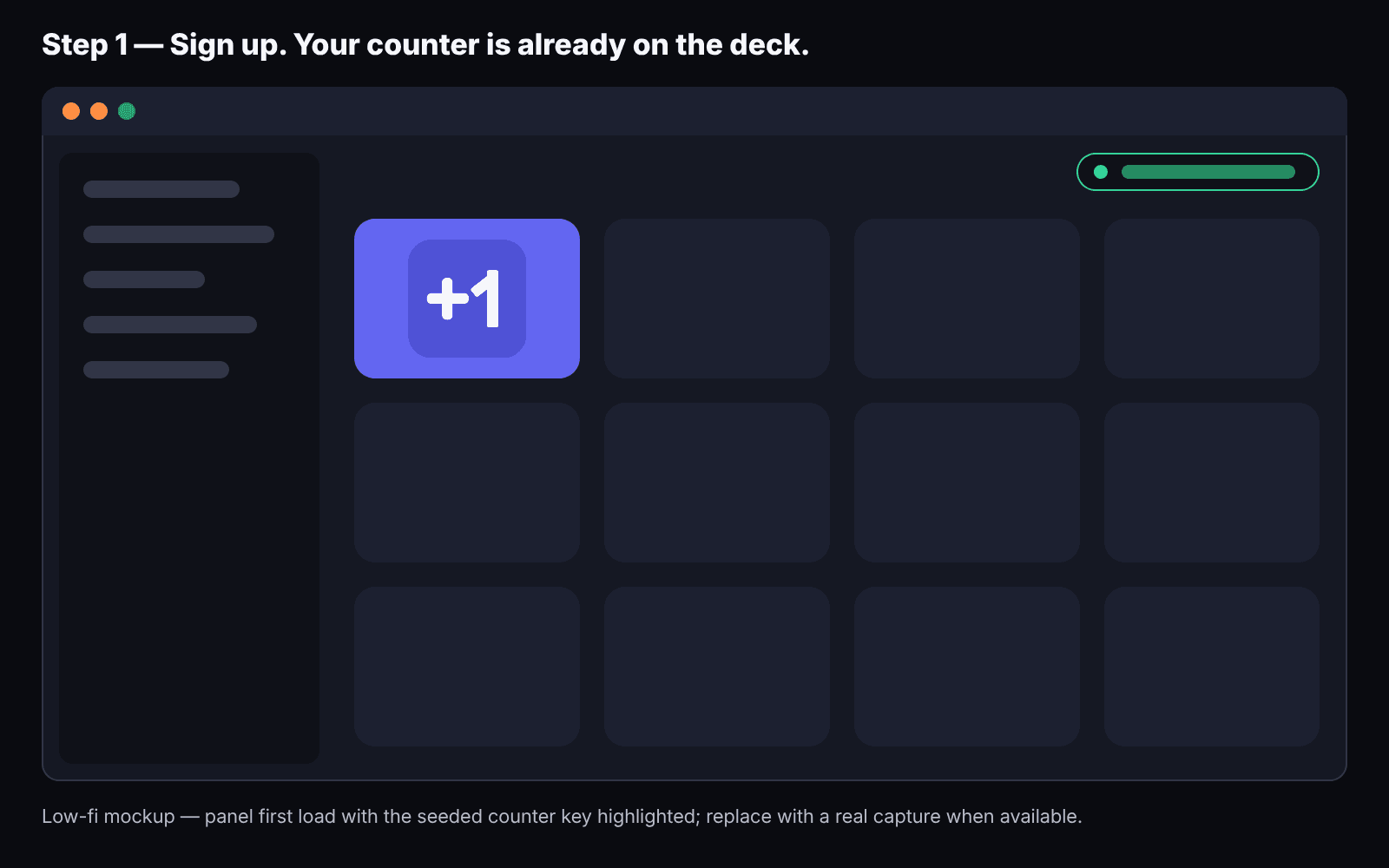
Your deck opens with a starter set already on it: a counter, a text line, a reaction button, a starting-soon screen and a lower third with your name.
What you'll see: The panel opens with a starter deck: counter, text line, reaction, starting-soon screen, lower third
- 2
Add the browser source 2 min
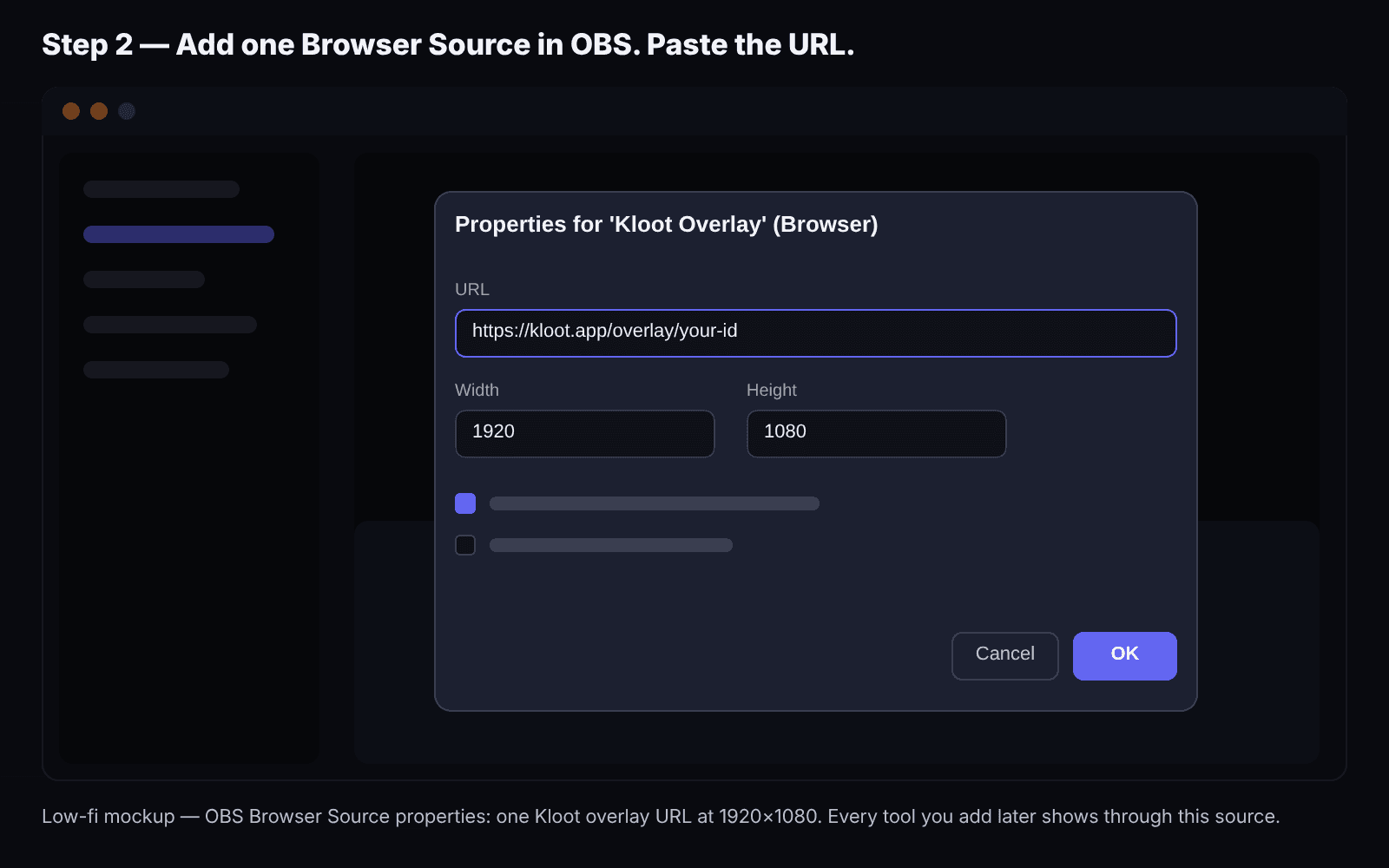
In OBS: Sources → + → Browser → paste the URL from your panel → set it to 1920×1080 → OK. It sits on top of everything; it's transparent except where a tool is showing.
What you'll see: A transparent layer over your scene; the panel shows "Overlay connected"
- 3
Press something 1 min
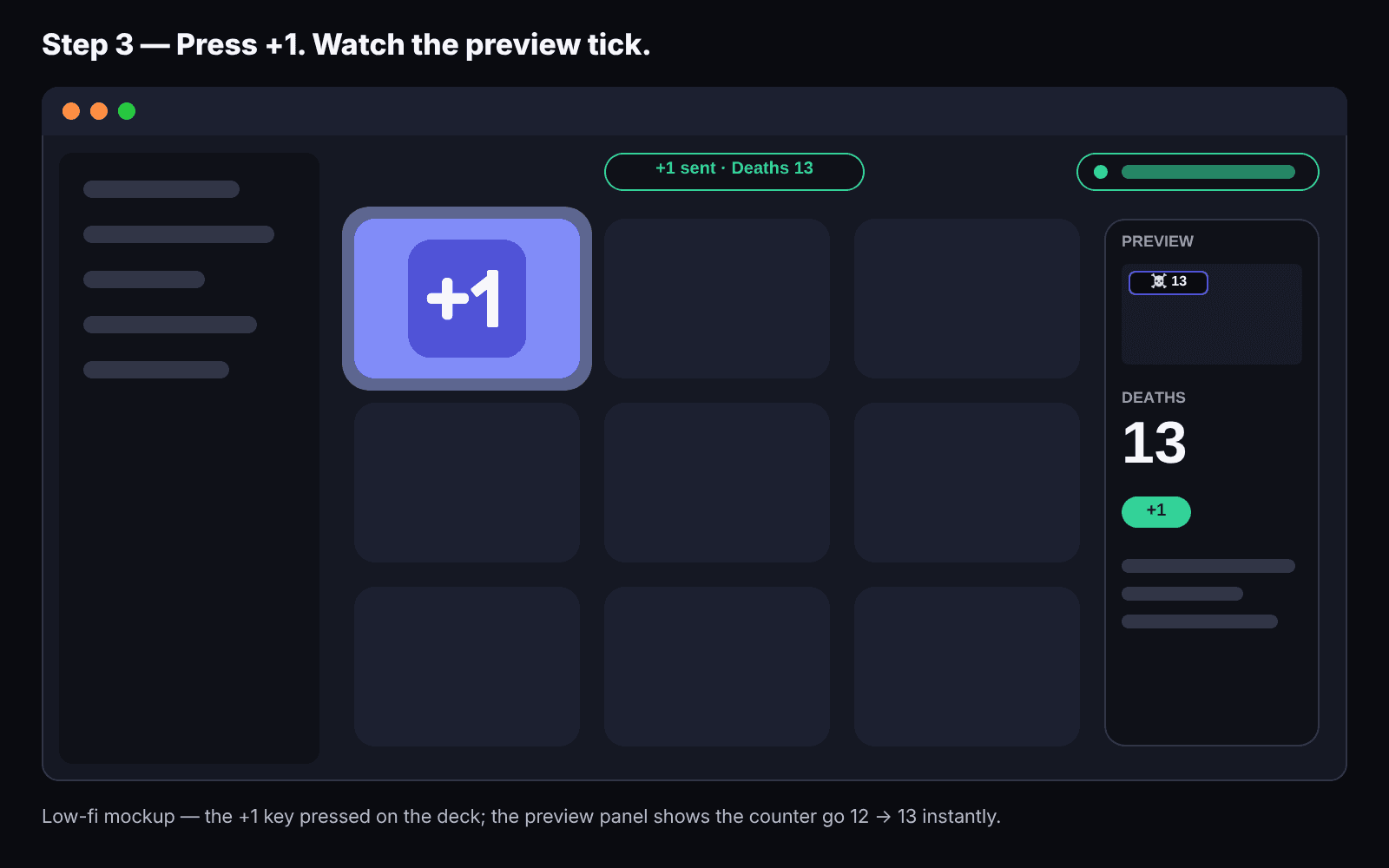
Hit the counter key. Watch the preview. Hit the reaction. That's the whole mechanic — a key on the deck, a thing on the stream.
What you'll see: The number appears in the corner of your preview; the reaction plays and clears
Try the mechanic here first
Press a key on the deck and watch the stream preview react.
Control Deck
LIVE👁 1,248 - 4
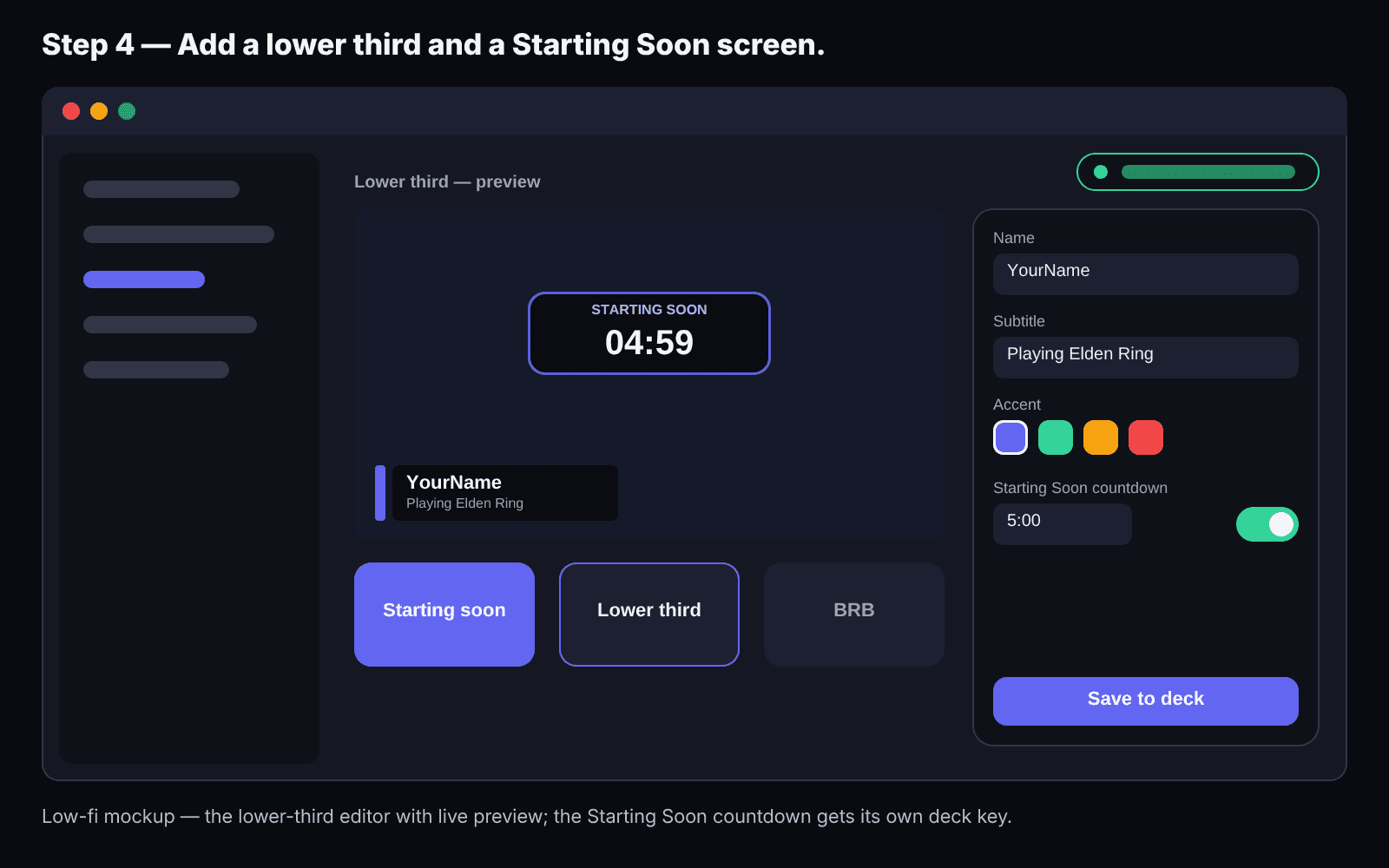
Put your name on it 3 min
Open the lower third, type your name and what you're playing. Open the starting-soon screen, set a 5-minute timer.
What you'll see: Your name and game in the lower third; a 5-minute countdown on the screen
- 5
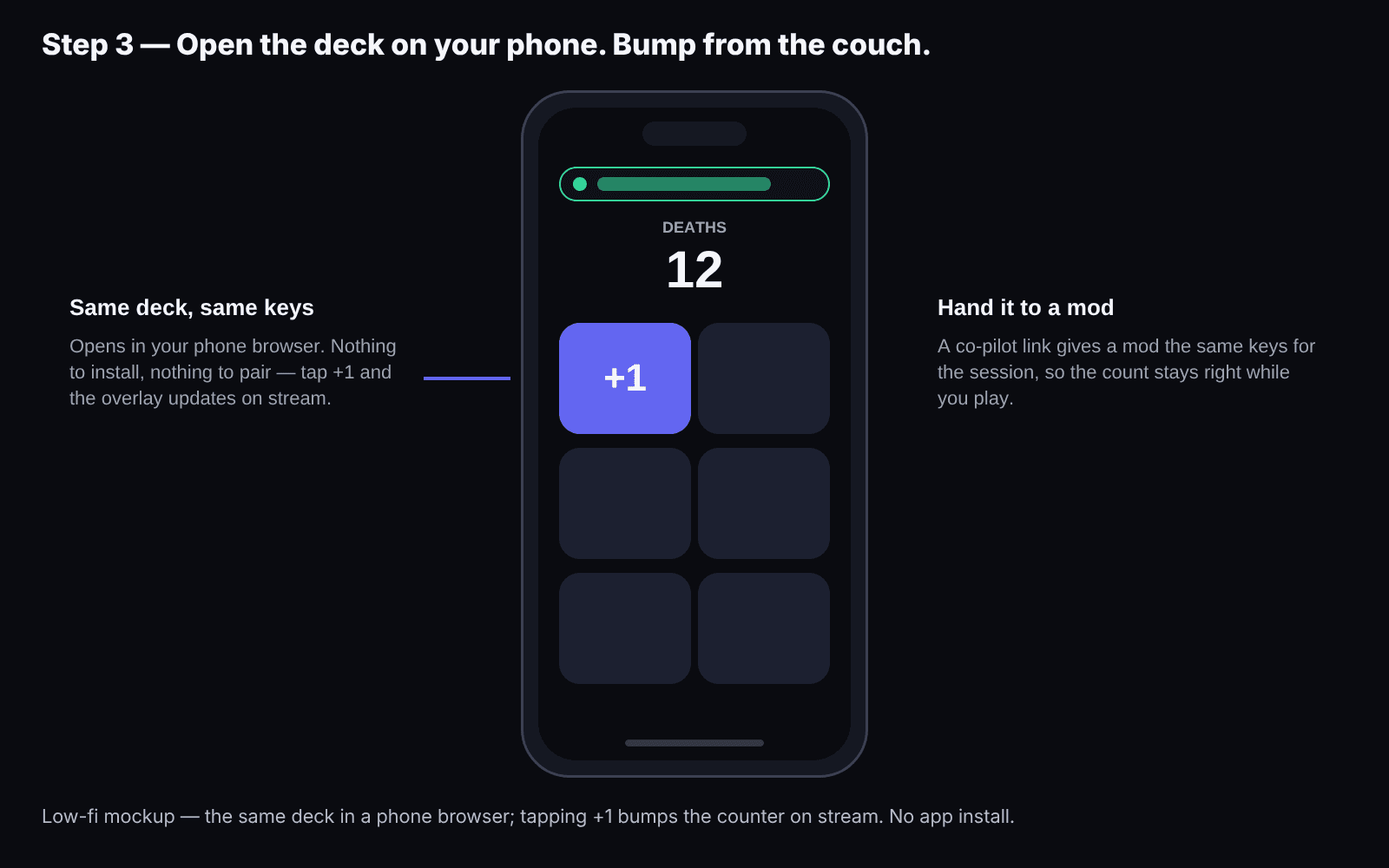
Open the deck on your phone 1 min
Same link, on your phone. Now you can bump the counter or fire a reaction without alt-tabbing out of a fullscreen game.
What you'll see: The same keys in your hand; a press on the phone shows up in OBS
- 6
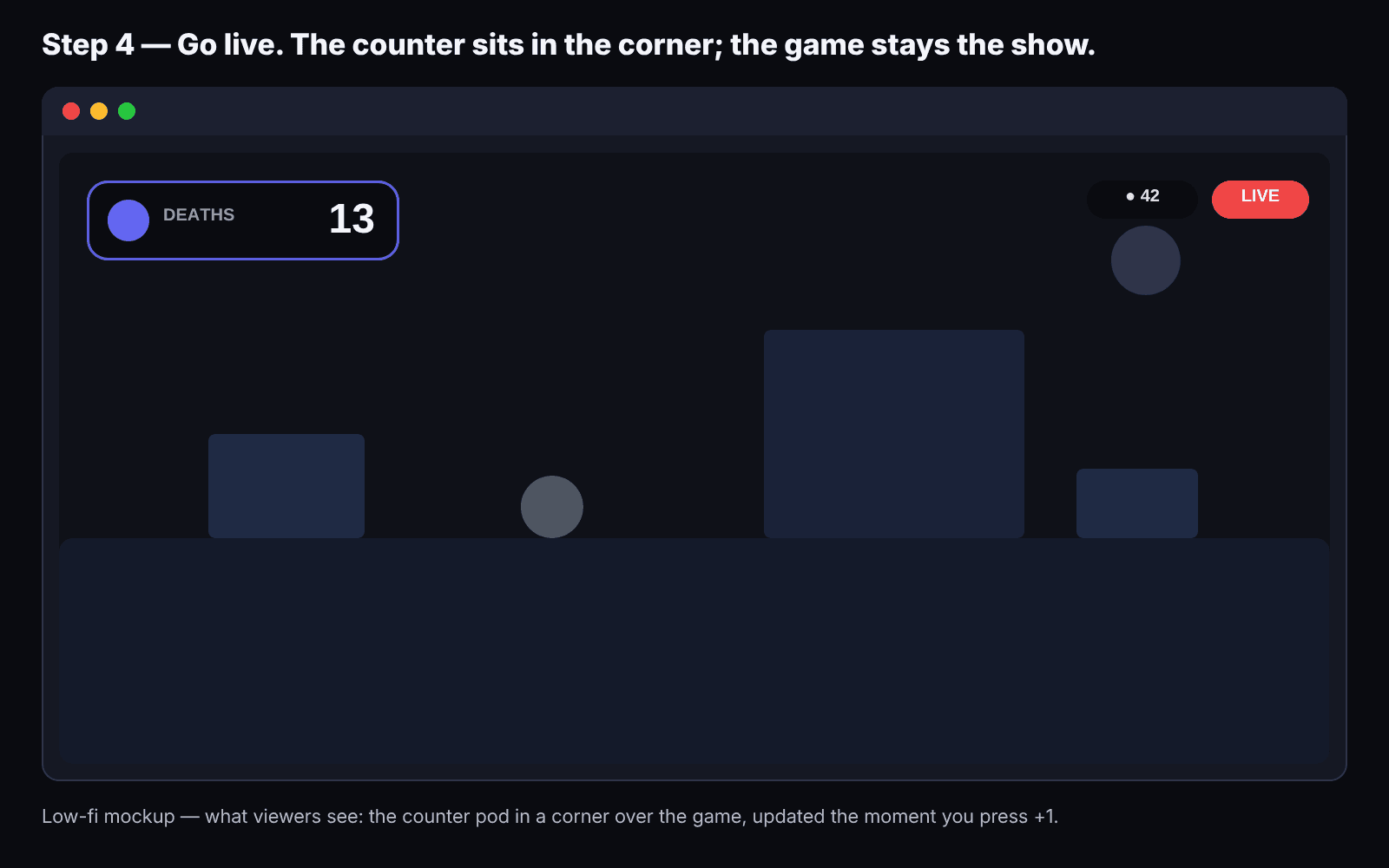
Go live 2 min
Start the starting-soon screen, start streaming in OBS, and when the timer hits zero the screen drops and you're on.
What you'll see: Starting-soon counts down, drops to your game, counter and lower third stay
What to add in your second week
Nothing, until you've streamed three times. Then, in this order: a goal (follower or sub), a poll when chat gets opinionated, a giveaway when you have twenty people. Kloot has all of them on the same URL; you add tools to the deck, not sources to OBS.
When you'll outgrow this
When you want chat to trigger things automatically, or you're running a 500-viewer channel with a mod team and a sponsor roster, you'll add a chatbot or an automation tool next to Kloot. That's a good problem. Kloot stays on the same browser source; the automation tool bumps it through a webhook.
Frequently asked
Do I need Streamlabs, StreamElements or a bot for my first stream?
No. Those add chat automation, alerts and tipping; none of them is required to look live. Kloot gives you the on-screen part with one browser source; add a bot later if chat grows into one.
Does this work on a Mac or a Chromebook?
Yes. Kloot is a web page, so anything that runs OBS (or a browser, for the deck) works. Most automation tools are Windows-only.
Will it slow my stream down?
No more than any single browser source. The overlay loads only the tools you're using and nothing else.
Can I control it from my phone?
Yes, the same deck opens on your phone, so you never have to leave a fullscreen game to press a key.
What does the free plan include?
One counter, a text overlay, reactions, a starting-soon screen, a lower third, 2 polls and 2 giveaways a month, phone control and the overlay. No time limit, no card. Pro adds more of each, skins, milestones and webhooks for $9/mo or $79/yr ($49/yr for the first 250 members).
Can I test it before signing up?
Yes — the guest test link gives you a temporary overlay URL and deck with no account, so you can see it on your own stream first.
Ten minutes from now, your stream looks like a stream.
Free plan, no card, no download. Counter, text, reactions, starting-soon screen and lower third included. Pro ($9/mo or $79/yr; $49/yr for the first 250 members) when you want more of everything.
Free forever · Pro $9/month or $79/year · Event Pass $5 for 48 hours · Prices + applicable taxes