A quick note before anything else. If you searched for game overlay software and wanted an FPS counter, a crosshair or a stats tracker drawn on your own screen while you play, that is a different category, in-game HUD tools such as RivaTuner or Overwolf. This post is about the other kind: the overlay your viewers see on the stream.
I have never streamed a game, and we make one of the tools below, so this does not rank anything. It sets out what a gaming overlay is actually for, says what each tool does as its own documentation described it on 10 October 2026, and is plain about where ours is the wrong choice.
Four jobs and two rules
- A counter for the thing your stream is about: deaths, attempts, wins, kills.
- A way to mark the big moment the second it happens: a pop on screen, a sound.
- A break screen with a countdown that runs, so people know when to come back.
- A decision for chat: which boss, which game next, which build.
The two rules matter more than any of the four. Nothing should sit over the play area, because the game is what people came to watch. And nothing should make you leave the game to trigger it, because the moments you most want to mark are the ones where you can least afford to alt-tab.
The counter is the overlay people actually read
On a lot of gaming streams the counter is the running joke and the scoreboard at once. Deaths to a boss, attempts at a jump, wins tonight. Most streamers start one as a chat command. StreamElements documents a death counter built from a !death command, limited to moderators, that replies in chat with the total. Nightbot’s count variable works the same way. They are free and they work. The number lives in chat, though, and scrolls away with everything else.
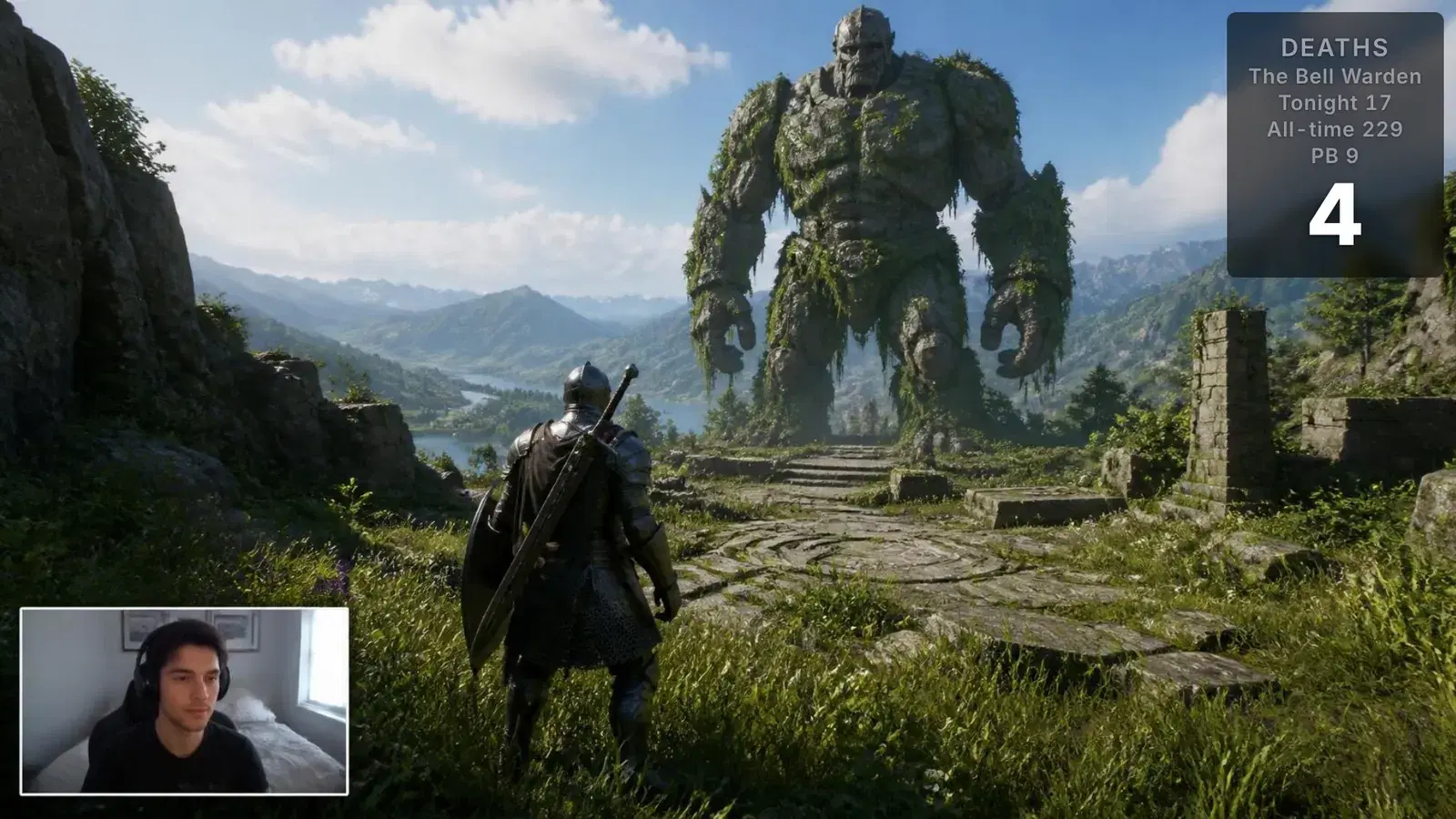
Putting the number on screen is what turns it into part of the show. On Kloot you bump it from your phone, signed in to your own panel, while the game keeps focus, on every plan. On Pro it can keep a count and a personal best for each boss, a mod can run it from their own Kloot panel, and every counter has +1 and reset links that work from a Stream Deck Website action. It never reads the game. Someone presses a button, which is why it works with any game, emulator or speedrun.
What each tool actually does
| Tool | What it is | For a gaming stream | Cost (Oct 2026) |
|---|---|---|---|
| StreamElements | Free alerts, overlays and a chat bot | A death counter as a chat command, mod-only, answered in chat | Free |
| Streamlabs | Free desktop app with Alert Box and widgets | Alerts that react to tips, follows and subs; Ultra adds the full theme library | Free; Ultra $27/mo or $189/yr |
| Streamer.bot | A Windows app that runs actions you build; macOS and Linux builds are marked experimental | Automation: change OBS scenes and sources, react to Twitch, YouTube and Kick events | Free download |
| Nerd or Die, OWN3D | Overlay packs and alerts | How the stream looks: frames, alerts, stingers | Per pack |
| Kloot (ours) | One browser source, fired from a deck on your phone | Counters, hype effects and sounds, break screens and polls, nothing over the game | Free plan; Pro $9/mo |
These overlap less than a list suggests. A pack decides how the stream looks. A suite’s alerts react to your channel. Streamer.bot automates. A live tool like ours is what you press during play. Most gaming setups that work use two or three of these together, not one.
Where it all goes on screen
Every game already has an overlay of its own: a health bar, a minimap, an ammo count, a quest log. Before you place anything, play ten minutes and note which corners the game uses. Your facecam takes one of the corners that is left. Your counter goes in another, and a poll or a break card can borrow the middle for a few seconds because it leaves again.
Size it for a phone, not your monitor. A lot of your audience is watching on a screen a fraction the size of yours, so a counter that looks generous on a 27-inch display is a smudge on a phone. Fewer, larger elements beat many small ones. If you would not be able to read it from across the room, nobody on a phone can either.
The hype moment
The clutch win, the boss going down, the impossible jump: the moment is over in a second, and if marking it means a mouse, it does not get marked. What works is a key you can hit without looking, on a phone next to you or a Stream Deck, that puts a pop on screen and plays a sound.
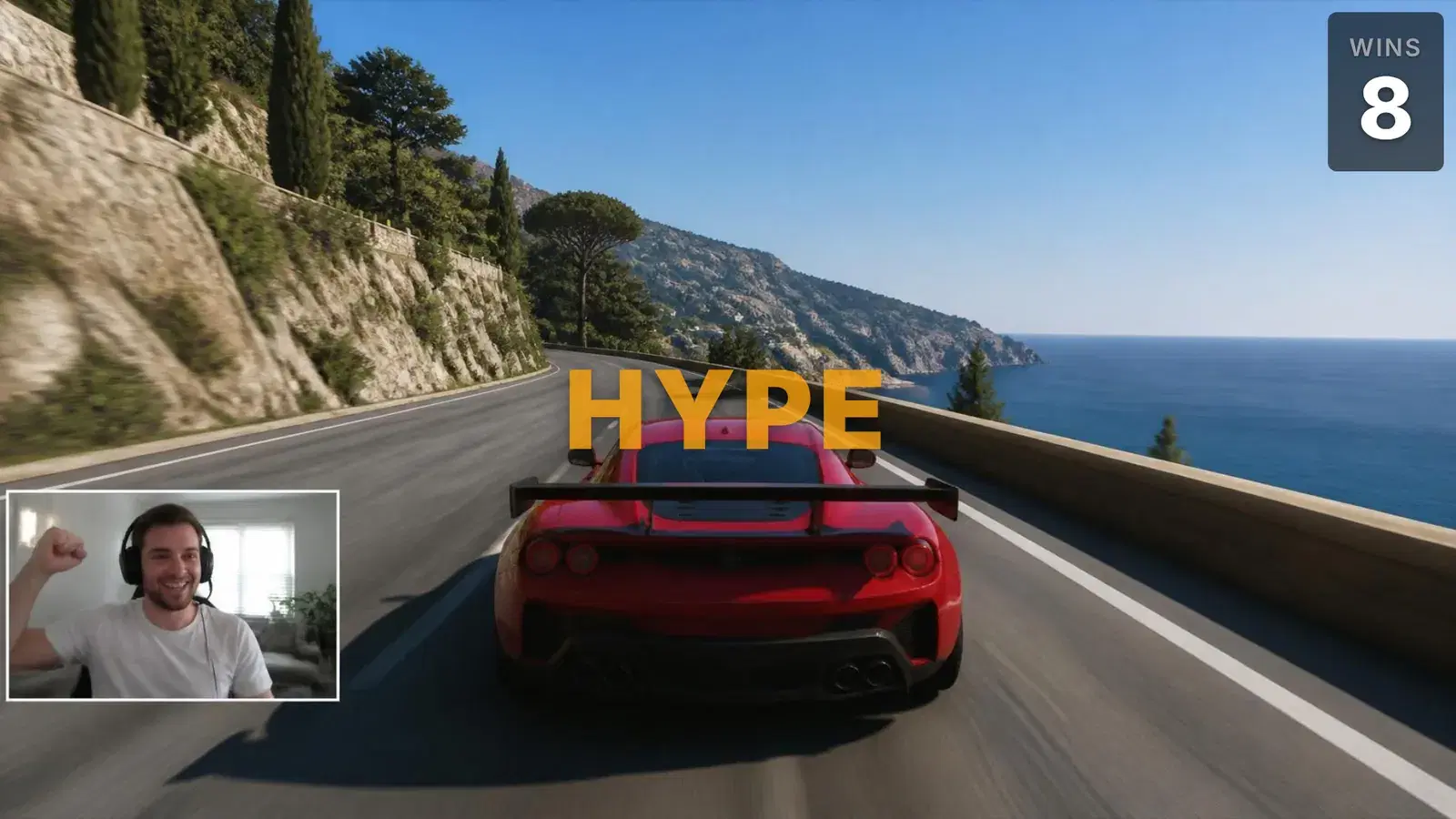
Kloot’s hype effects, confetti, text pops and emoji rain, are free on every plan. The built-in sound library has 85 sounds; Free fires 68 of them on stream, each ending with a short Kloot sting, and Pro fires all of them clean. Both go on deck keys, so the same press can be on your phone or your browser.
Breaks and decisions
A break screen should tell people when you are back. Every Kloot plan has a countdown screen, and the card layout leaves the game visible around it for a short pause. A break is also the best moment to hand chat a decision, which boss next or which game tomorrow, because the room is waiting anyway.
A break with a decision in it
The poll and the giveaway QR sit beside the clock. Sample numbers; the blocks are real.
Where we are the wrong answer
Kloot does not read your game. If you want a rank, a K/D pulled from the match or a live map, you need a tracker built for that specific game. Kloot also does not react to channel events: nothing fires because someone followed or subscribed. Streamlabs’ Alert Box does that, free, and runs alongside us.
If what you want is automation, so a raid switches your scene and a sub plays a sound with nobody touching anything, that is Streamer.bot’s job on Windows. And if your counter only needs to answer "how many deaths" when someone asks in chat, the chat command in your bot is already the right tool.