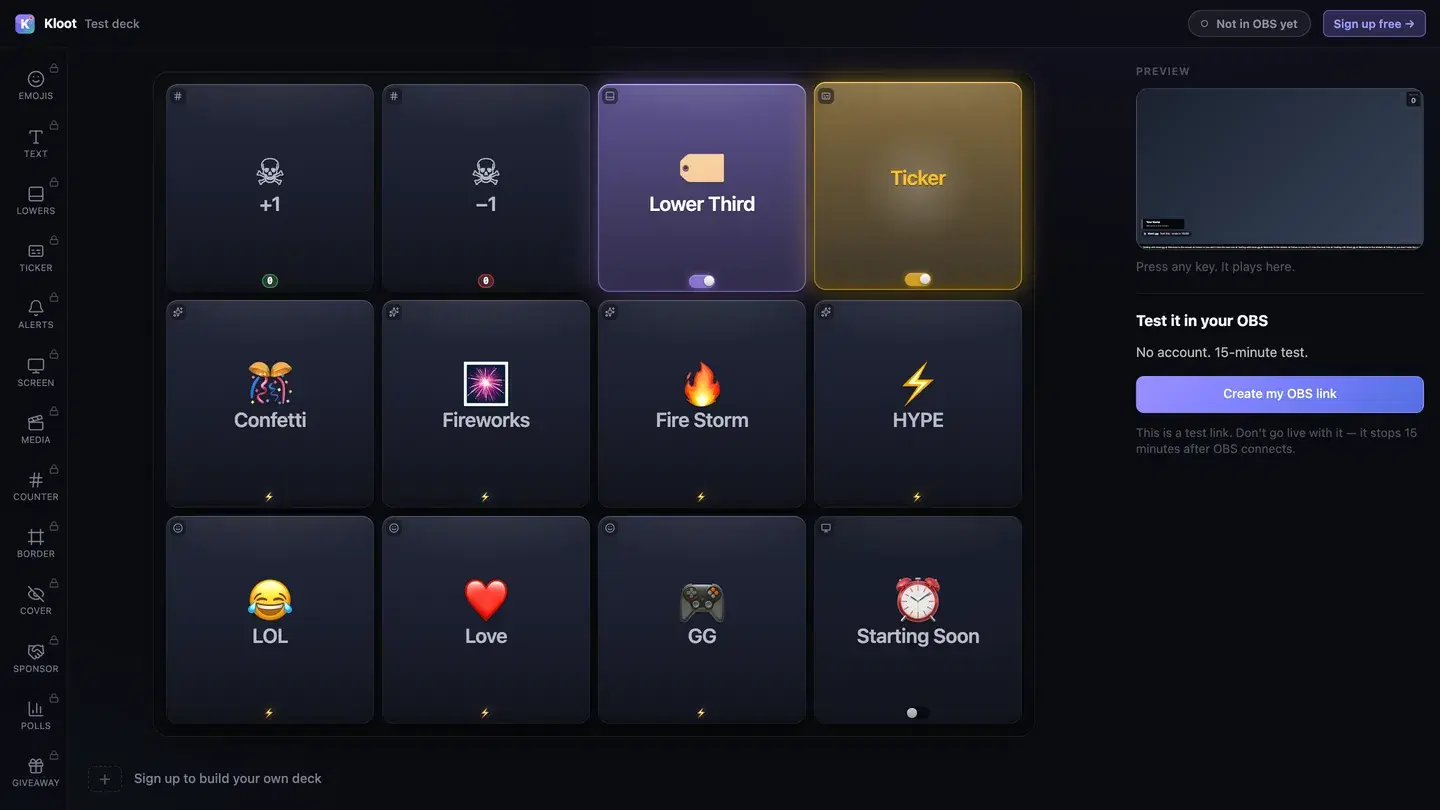
Fire hype effects when you clutch, run giveaways between matches, show BRB when you queue — all without alt-tabbing.
For: Twitch & YouTube gaming streamers of all sizes
Control Deck
Alt-tabbing out of your game to toggle OBS scenes kills your focus and your rank
Running giveaways means switching to an external site, copying winner names, and disrupting flow
Multiple browser sources in OBS for effects, alerts, and overlays slow down your stream
Hype moments pass before you can celebrate them — by the time you find the right window, the clutch is old news
One-tap effects from your phone or a second browser tab — confetti, HYPE, GG — without touching your game
Full giveaway lifecycle from the Control Deck: configure, launch, spin — the prize even emails itself
Single overlay URL replaces 5+ browser sources, reducing OBS load and complexity
Fullscreen deck mode turns your phone into a big-button board — celebrate the clutch without leaving the game
The Kloot tools that matter most for your workflow.
Confetti, text pops, emoji rain, screen shake — one tap
QR code entry, spin wheel, auto prize delivery
Toggle screens without touching OBS scenes
Kill and win tallies you bump from the deck
Control your stream from your phone — add to home screen
From setup to live — here's how it goes.
One Twitch/Google login. Paste your unique overlay URL into OBS as a browser source.
Drag effects, giveaways, and scene toggles onto your button grid.
Hit Confetti when you clutch. Start a giveaway between matches. Toggle BRB when you queue. All from one panel.
Arrange your most-used effects on page one and flip to fullscreen deck mode — firing confetti becomes as natural as pressing an ability key.
Free tier gets you effects, giveaways, and overlays. No credit card. Setup takes 90 seconds — your viewers notice the difference tonight.