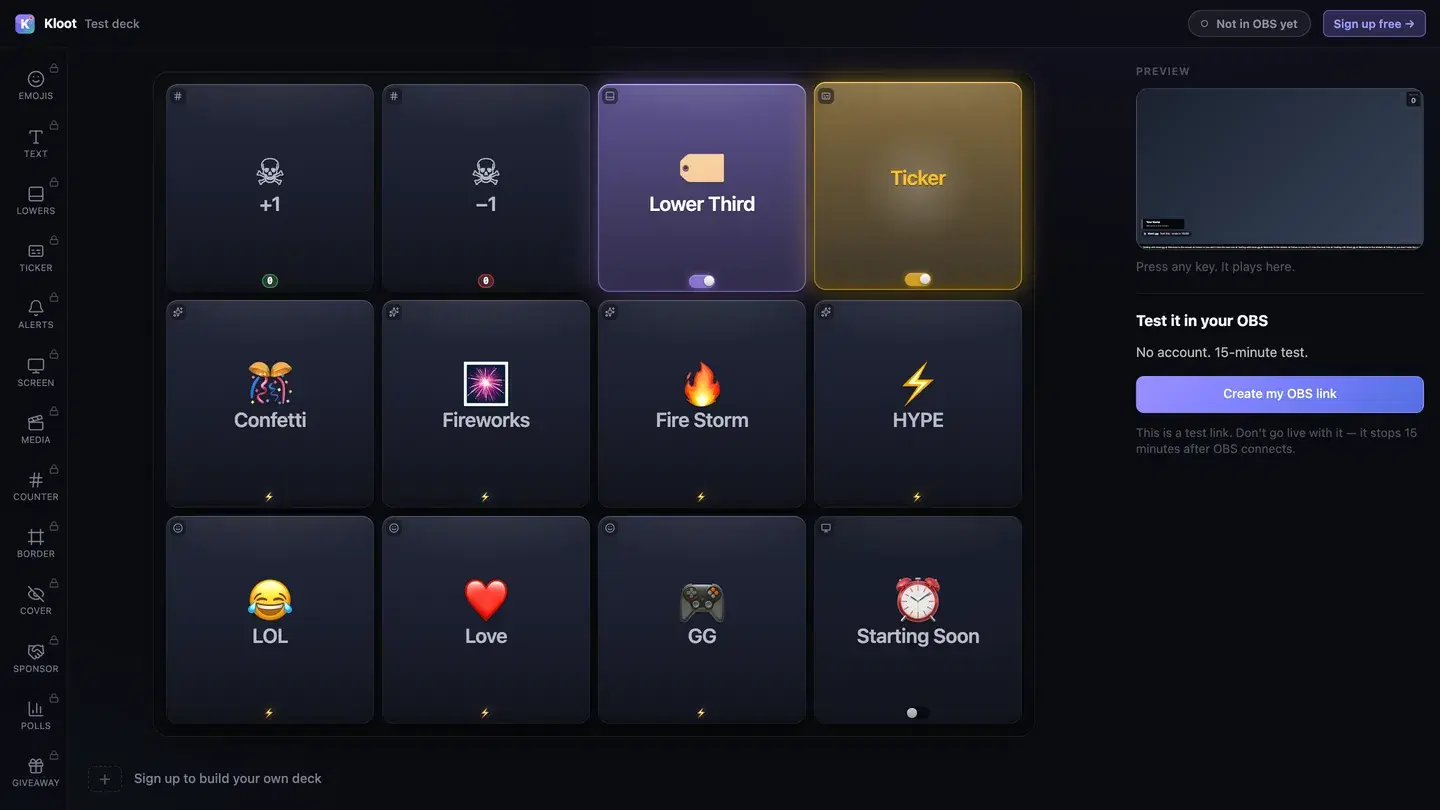
Score counters you update in a tap, sponsor banners and code callouts, and lower thirds for player intros — the whole broadcast on one deck.
For: Tournament organizers, esports broadcasters, competitive event hosts
Control Deck
Managing scores, timers, and sponsor obligations during live matches is chaotic
Switching scenes to update scores or run a sponsor slot mid-match is clumsy and slow
Sponsor ad timing needs to be precise — miss a slot and you lose revenue
No easy way to show sponsors their placements actually ran as promised
Score counters update from the Control Deck — no scene editing mid-match
Scores, sponsor ads, screens, and lower thirds all live on one deck — switch between them in a tap
Sponsor banners stay up until you toggle them; code callouts pop on cue and auto-hide after their set duration
The panel's activity feed shows what fired and when — an easy receipt for the post-event sponsor recap
The Kloot tools that matter most for your workflow.
Bump scores from the deck — visible on the overlay instantly
Banner + promo-code callout, dark/light/brand themes
Rotating lines for match info, schedules, and sponsor mentions
Break screens with countdown timers — no OBS scene switching
See what fired and when, right in the panel
Player intros, match info, caster names
From setup to live — here's how it goes.
One URL handles scores, sponsor ads, lower thirds, and all broadcast overlays.
Put scores, sponsor ads, screens, and lower thirds on one grid so you can run the whole broadcast from a single panel.
Save each sponsor as a ready-to-fire ad — logo, promo code, and tagline set before the broadcast starts.
Toggle banners, fire each callout on cue. The activity feed keeps track of what fired for your sponsor recap.
Free tier gets you effects, giveaways, and overlays. No credit card. Setup takes 90 seconds — your viewers notice the difference tonight.